OBS Overlay Customization

Customize your Dune: Awakening drops carousel for OBS

Live Preview

Customization

OBS Browser Source Setup

📐 Recommended OBS Settings:

  • Width: 300 pixels
  • Height: 450 pixels
  • FPS: 30 (default is fine)
  • • ✅ Check "Shutdown source when not visible"
  • • ✅ Check "Refresh browser when scene becomes active"

📋 Step-by-Step Instructions:

1
Add Browser Source

In OBS Studio, click the + button in your Sources panel and select "Browser Source"

2
Name Your Source

Give it a name like "Dune Drops Carousel" and click OK

3
Paste URL & Set Size

Paste the copied URL above into the "URL" field, then set Width to 300 and Height to 450

4
Optimize Performance

Check both performance options mentioned above, then click OK

5
Position & Go Live!

Drag the carousel to your desired position on stream. The animation will start automatically!

💡 Pro Tip: The carousel updates automatically when you change colors above - just refresh the Browser Source in OBS to see your changes!

Countdown Timer

Loading preview...

Drops Release Countdown

Add this countdown timer to your stream to let viewers know when the new drops campaign will be available. The timer automatically updates and will display a "Campaign is now LIVE!" message once the campaign starts.

Standard Countdown URL:
Compact Countdown URL:
Customization Options:
size: small, medium, large
showBorder: true, false
title: Custom text

Example: &size=large&showBorder=false&title=Drops%20Coming%20Soon

💡 Pro Tip: Add this as a Browser Source in OBS with dimensions of 400x100. The countdown will automatically disappear when the campaign starts, so you don't need to remove it manually.

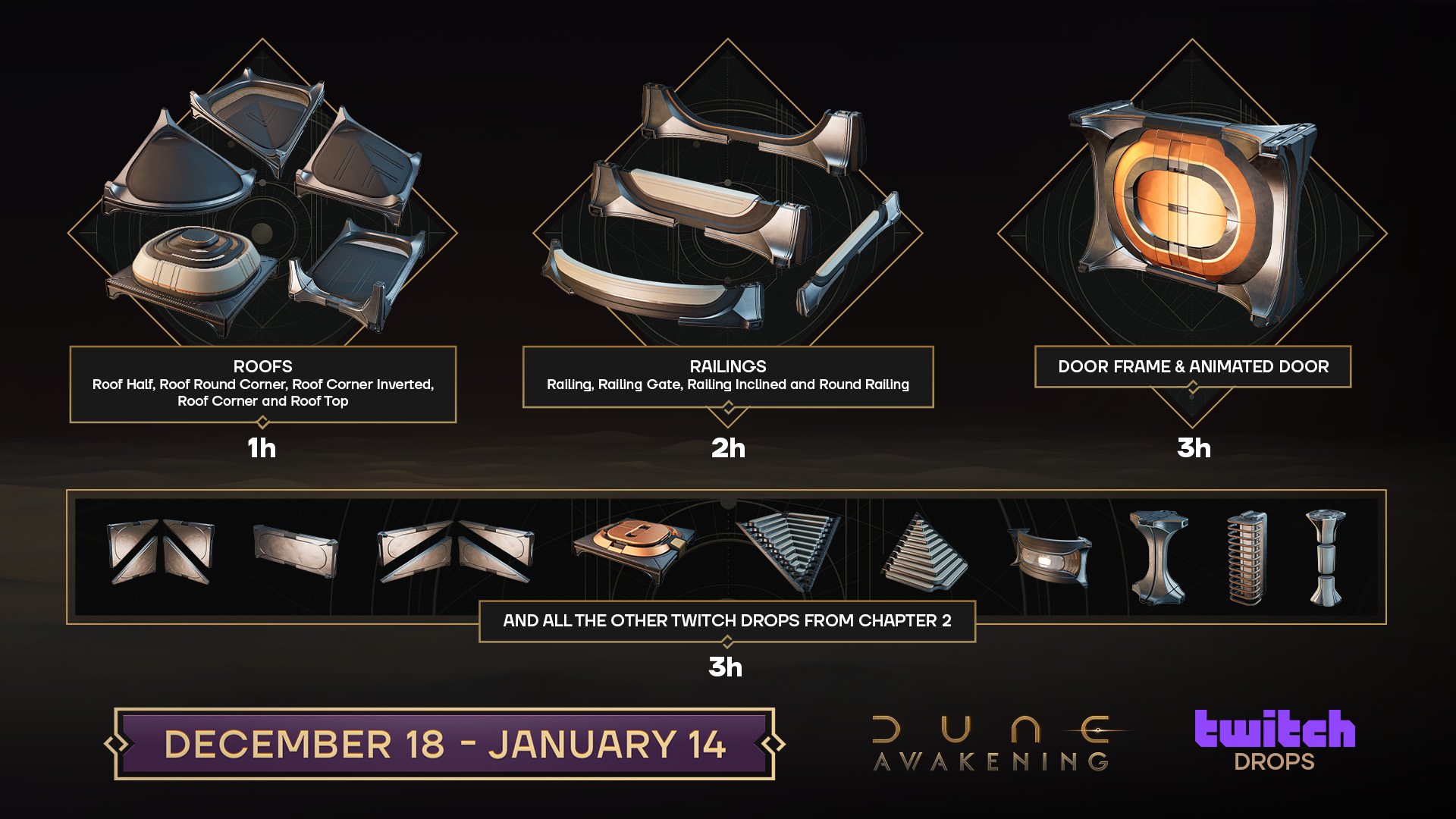
Overview Image

Dune: Awakening Drops 6 Overview

Static Overview Image

If you prefer to use a static overview image showing all the drops at once, you can use this image instead of the animated carousel. This is perfect for streamers who want to display all rewards on a single screen.

Direct Image URL:

💡 Pro Tip: Use this static image in OBS as an Image source. Set the size to match your layout needs, and consider adding it to a scene that shows during breaks or when explaining the drops to your viewers.